Administration
Users, roles and permissions
Who can sign in, their passwords, what each person may do, and a record of every sign-in.
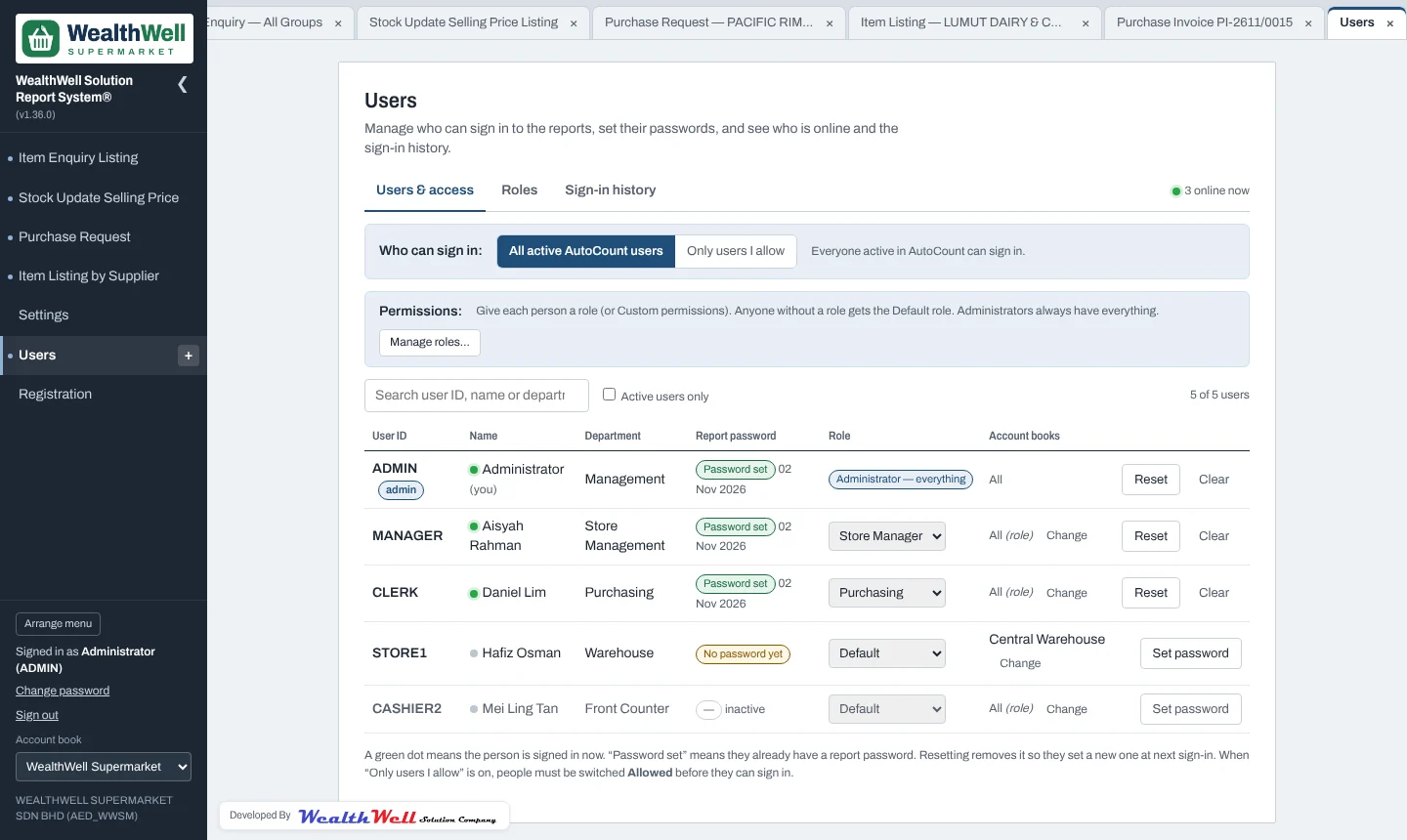
The Users page is for administrators. It lists the users from AutoCount; a green dot shows who is online now.
Report passwords
Report passwords belong to this system, not AutoCount (AutoCount's own passwords are never read). For each person you can Set a password, Reset it, or Clear it so they choose a new one with the default password at their next sign-in.
Who can sign in
Choose All active AutoCount users or Only users I allow; with the second, use Allow / Block on each person. Administrators can always sign in, so you cannot lock yourself out.
Roles
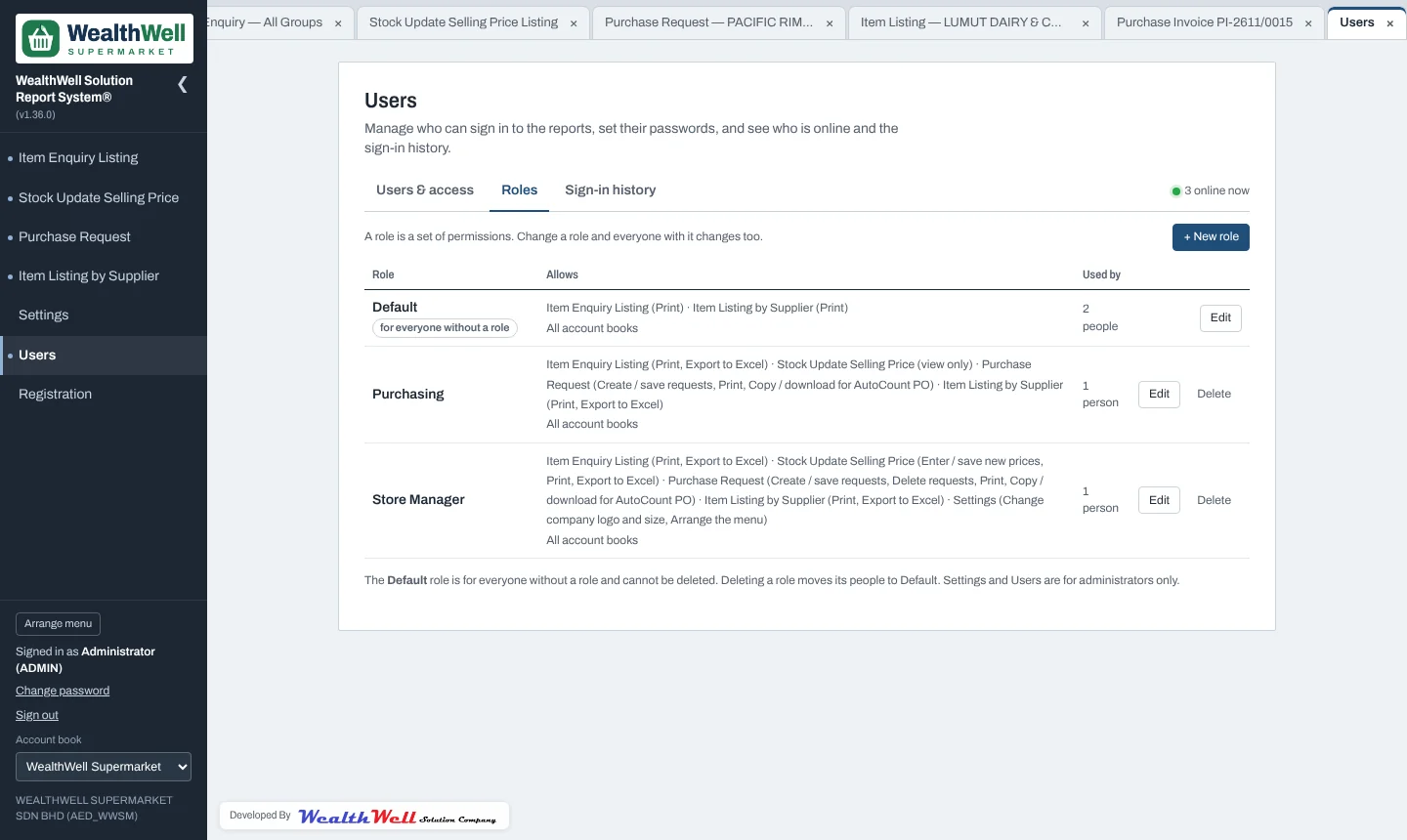
A role is a named set of permissions, for example Purchasing or Store Manager. Give each person a role in the Role column. The Default role applies to everyone without one. For a one-off, choose Custom… and tick that person's permissions directly.
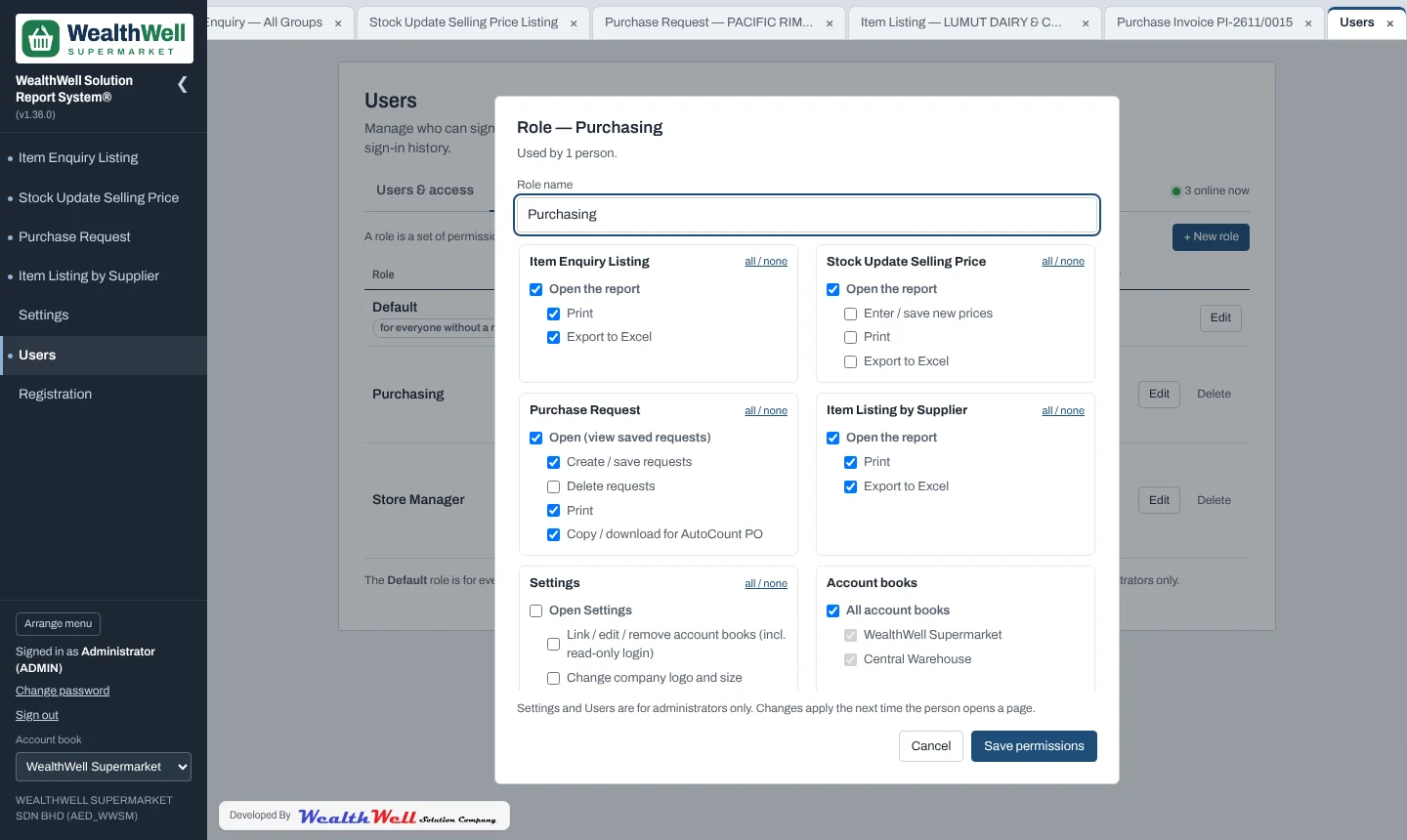
| Report or area | Permissions you can give |
|---|---|
| Item Enquiry Listing | Open, Print, Export to Excel |
| Stock Update Selling Price | Open, Enter / save new prices, Print, Export |
| Purchase Request | Open (view saved), Create / save, Delete, Print, Copy / download for AutoCount |
| Item Listing by Supplier | Open, Print, Export |
| Settings | Open Settings, Account books, Company logo, Arrange the menu, Performance & sharing |
Users, roles and sign-in history are always for administrators only.
Account books per person
By default a person may use the account books their role allows. Use Change in the Account books column to give one person their own list instead (for example warehouse staff who only use the warehouse book).
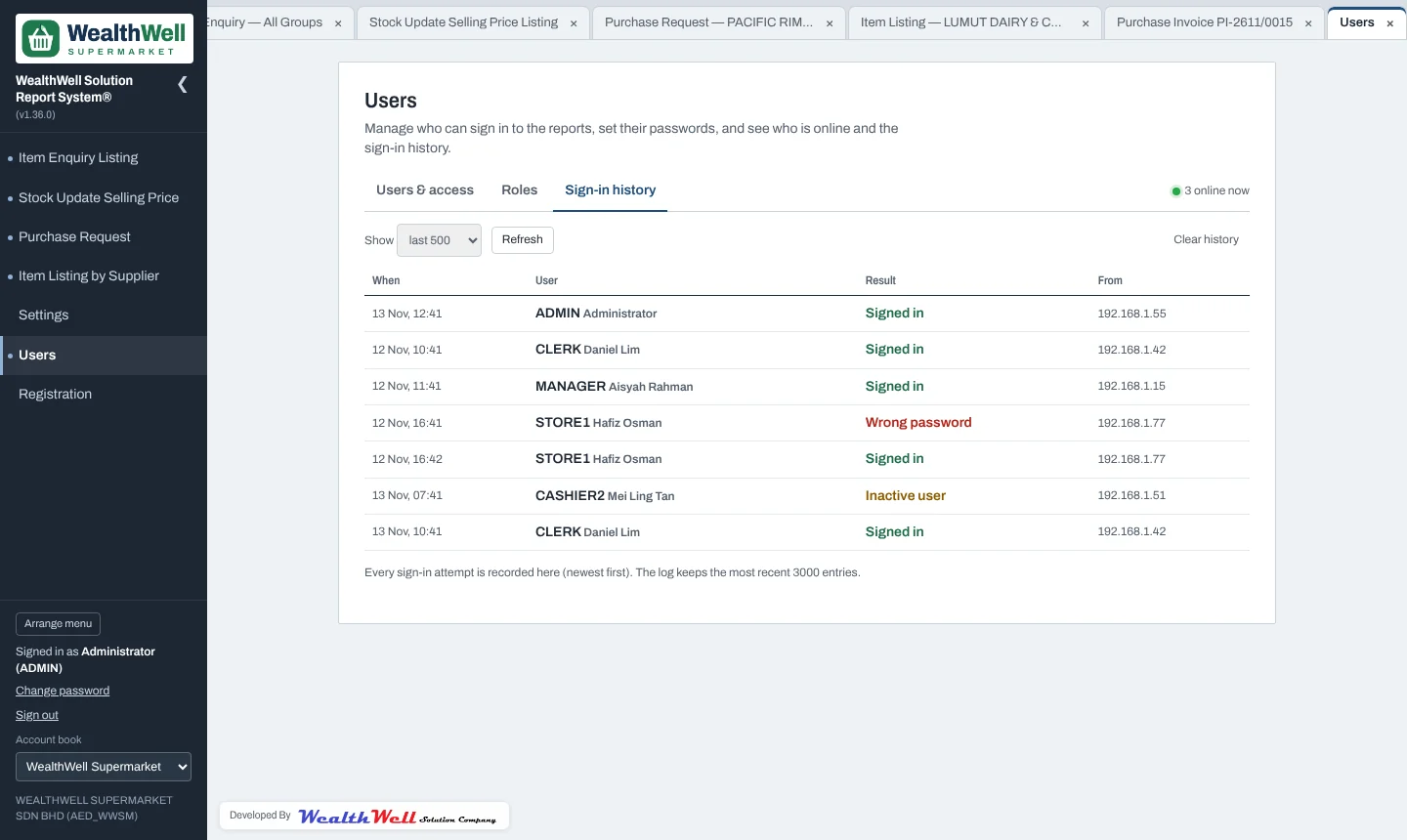
Sign-in history
Every sign-in attempt is recorded with the time, user, result (signed in, wrong password, inactive user…) and the PC's address.