
Using the system
Printing, paper sizes and Excel
Every report prints at the paper size you choose, with a preview first and sign-off boxes at the bottom of the last page.
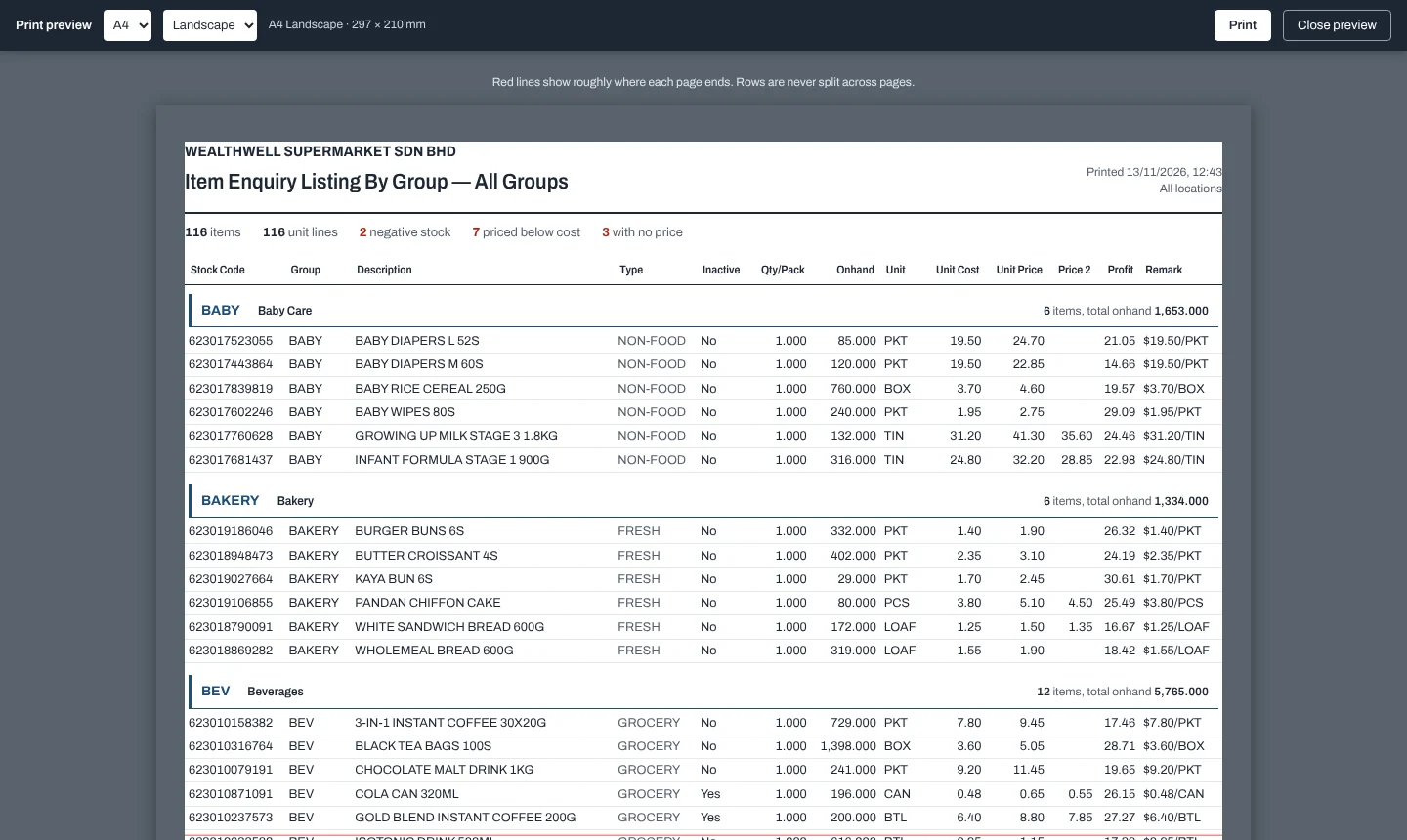
Paper size and orientation
Next to the Print button, choose A4, A3 or A5 and Portrait or Landscape. The choice is remembered for each report on that PC. Smaller paper shrinks the report to fit; A3 uses the extra width.
Preview
Preview shows the report at the chosen size with a red line where each page ends. Rows are never split across pages, and column headings repeat on every page. Change the paper in the preview toolbar, then Print, or Close preview (Esc).
Sign-off footer
Reports that need approval (Stock Update Selling Price, Purchase Request, Item Listing by Supplier) end with signature boxes. They are always placed at the bottom of the last page, and move to a new page if they do not fit.
Export to Excel
Export to Excel saves the rows shown as a CSV file. Item codes stay as text, so long barcodes keep every digit.