
Administration
Settings
Link AutoCount account books, create the read-only SQL login, change the logo and menu, and keep the system fair under load.
Account books
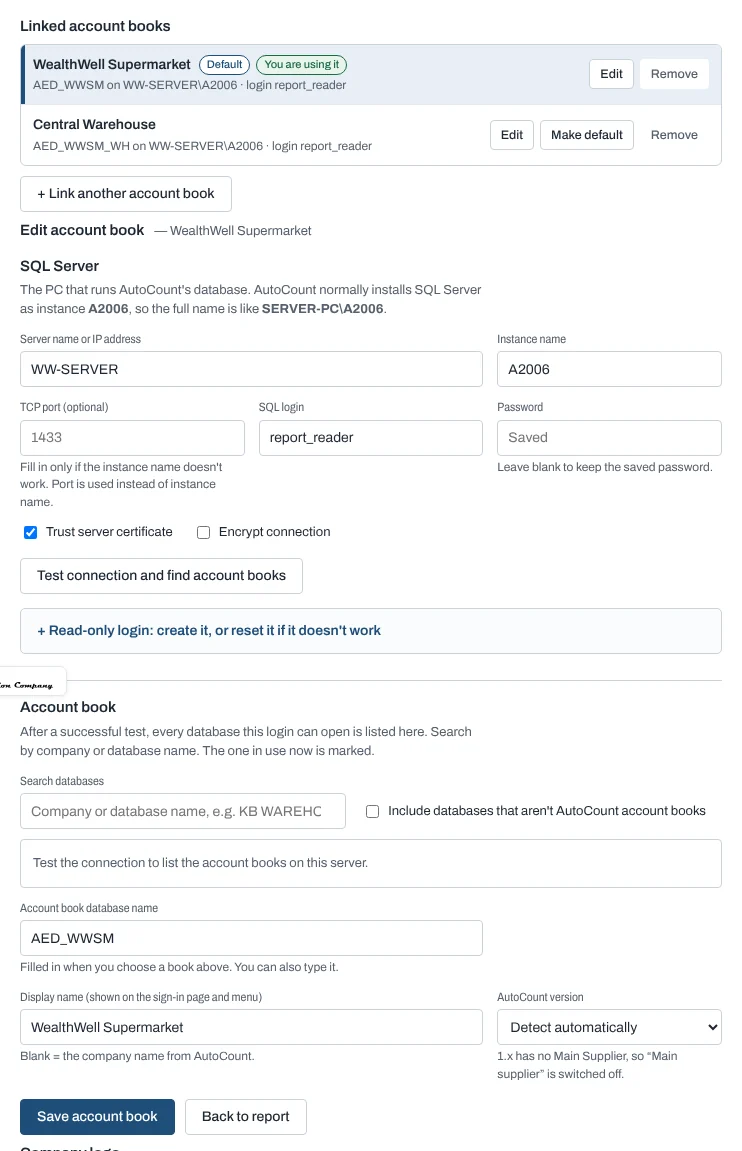
- Enter the SQL Server (usually the AutoCount server PC name) and instance (AutoCount's is usually
A2006), or a TCP port. - Enter the SQL login the reports use, then Test connection and find account books.
- Pick the account book from the list, give it a display name, and Save account book.
- + Link another account book adds more companies. People choose one at sign-in and can switch in the menu.
- Make default sets the book chosen at sign-in; Remove unlinks one (the last one cannot be removed).
- AutoCount version: leave on Detect automatically, or mark an older book as 1.x (it has no Main Supplier).
The read-only login
Create / reset read-only login uses a SQL administrator login (such as sa) once, to create a login such as
report_reader that can only read the account books. If it already exists, its password is reset and it is re-linked.
The administrator password is not stored.
Company logo
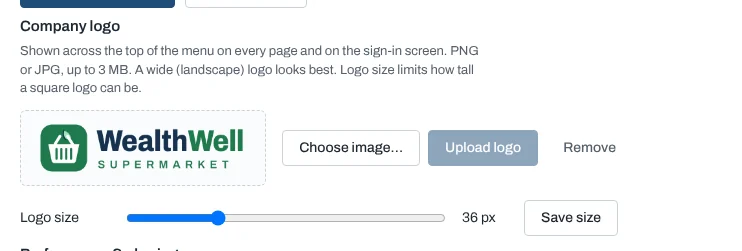
Upload a PNG or JPG (a wide logo looks best). It appears at the top of the menu and on the sign-in page. Logo size sets how tall it may be.
Arrange the menu
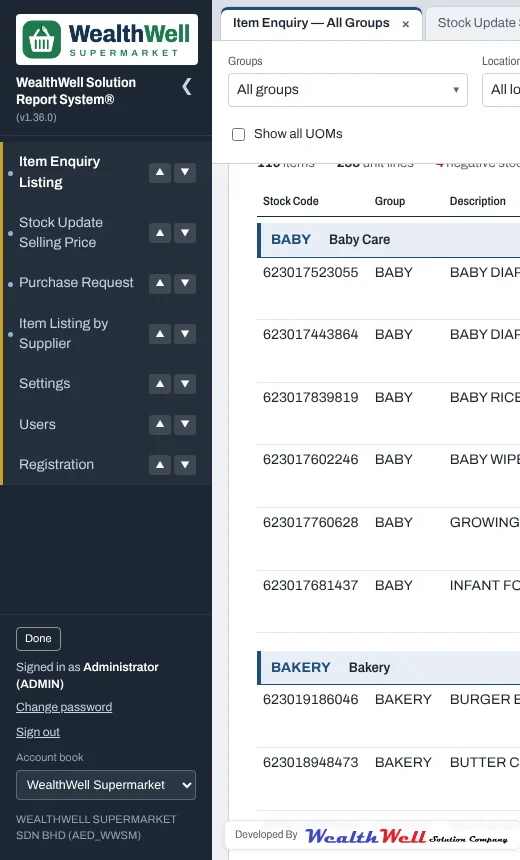
Arrange menu at the bottom of the menu lets you move reports up and down (▲ ▼ or drag). Click Done; the order is the same for everyone.
Performance & sharing
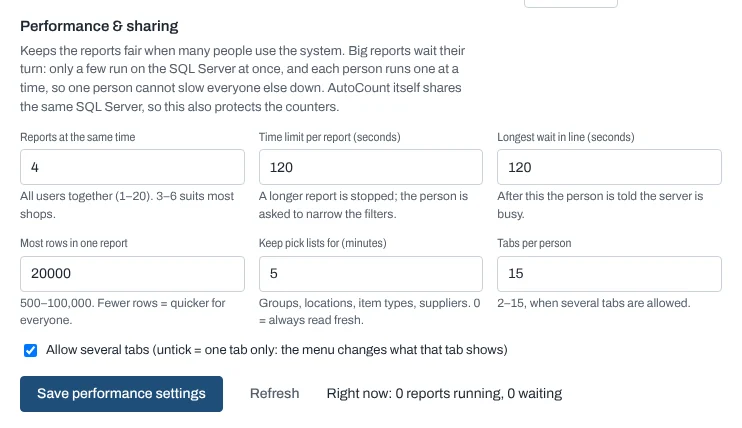
These settings keep the system fair when many people use it at once. AutoCount uses the same SQL Server, so they also protect the counters.
| Setting | Default | What it does |
|---|---|---|
| Reports at the same time | 4 | How many big reports run on the SQL Server at once, for everyone together. Others wait their turn. |
| Time limit per report | 120 s | A report running longer is stopped and the person is asked to narrow the filters. |
| Longest wait in line | 120 s | After this the person is told the server is busy. |
| Most rows in one report | 20,000 | Caps very large listings. |
| Keep pick lists for | 5 min | Groups, locations, item types and suppliers are reused instead of read every time. |
| Tabs per person | 15 | Untick Allow several tabs for one tab only. |
Each person runs one big report at a time; their next one waits while other people's go first, taking turns. Closing a page stops its report and frees its place. A waiting person sees "Waiting for the server — N reports ahead of you".