
Reports
Item Enquiry Listing
Stock on hand, costs, selling prices and profit for every item, grouped by item group.
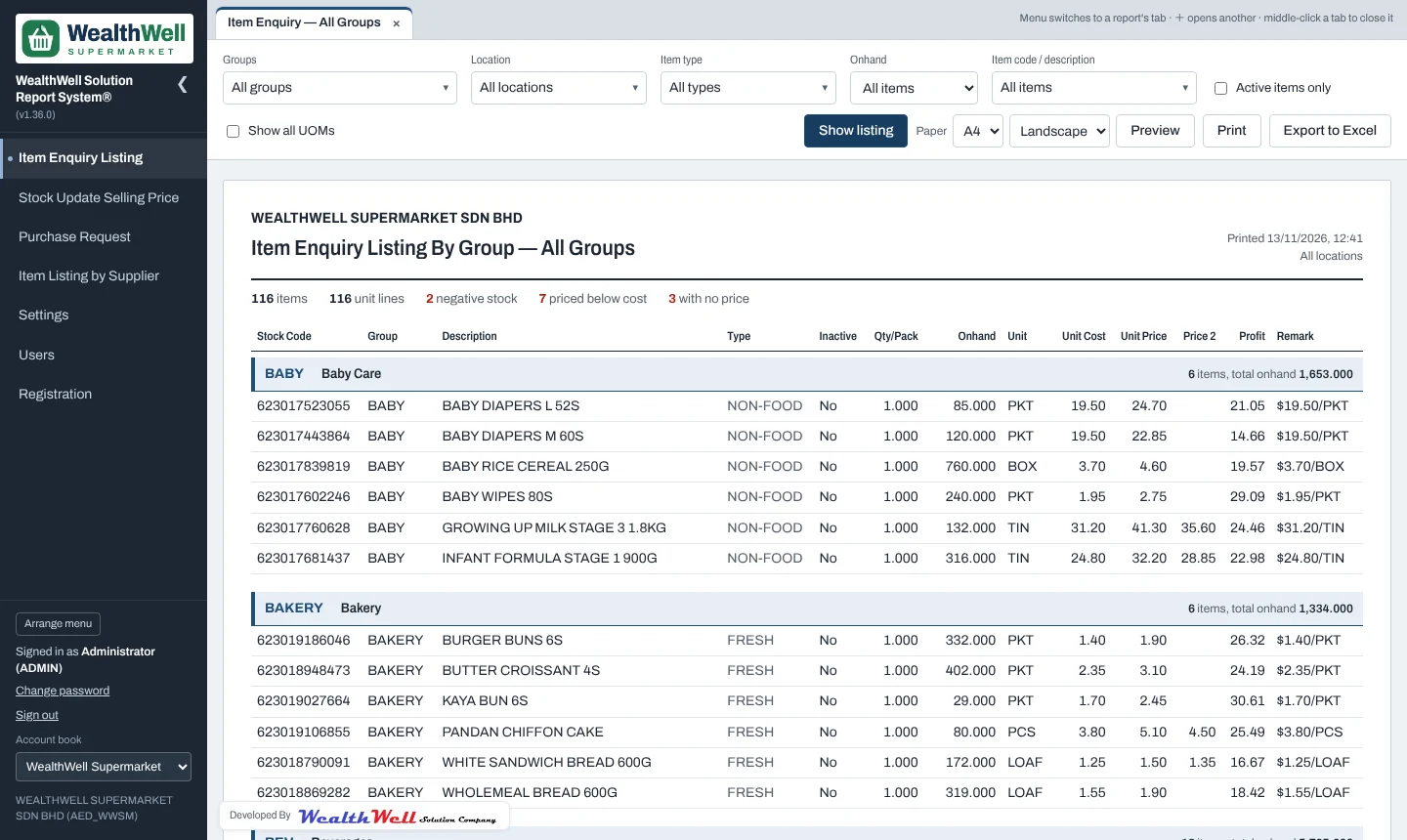
When to use it
Use it for a stock check, a price review or a shelf audit: the listing shows every item in its group with stock on hand, unit cost, selling price, Price 2 and profit. The summary line at the top counts the problems worth looking at: negative stock, items priced below cost and items with no price.
Filters
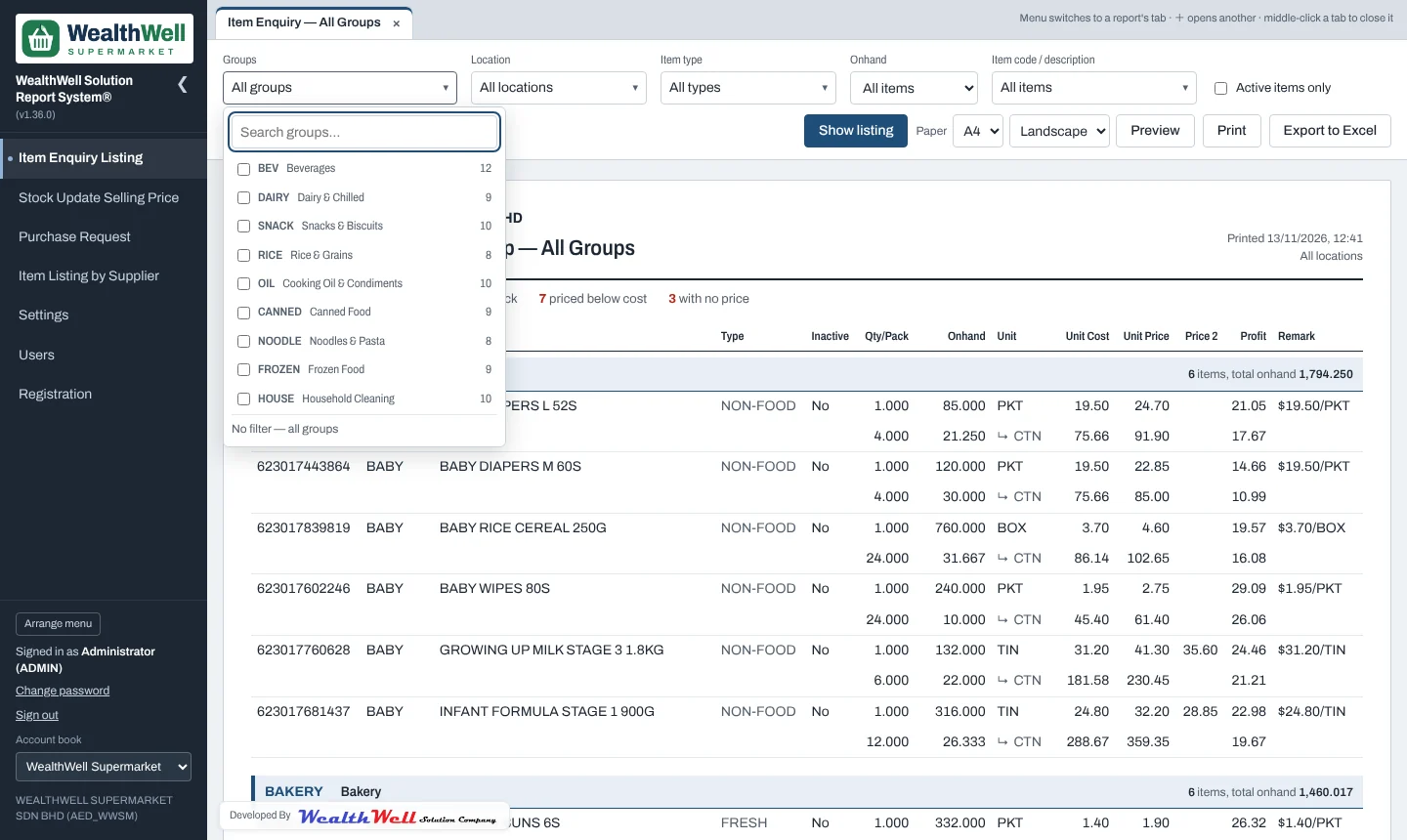
| Groups | One or more item groups. |
|---|---|
| Location | Count stock only at these locations (for example one branch). Nothing ticked = all locations. |
| Item type | One or more AutoCount item types. |
| Onhand | All items, in stock, zero stock or negative stock. |
| Item code / description | Search the whole item list as you type and tick particular items. |
| Active items only | Leave out items marked inactive in AutoCount. |
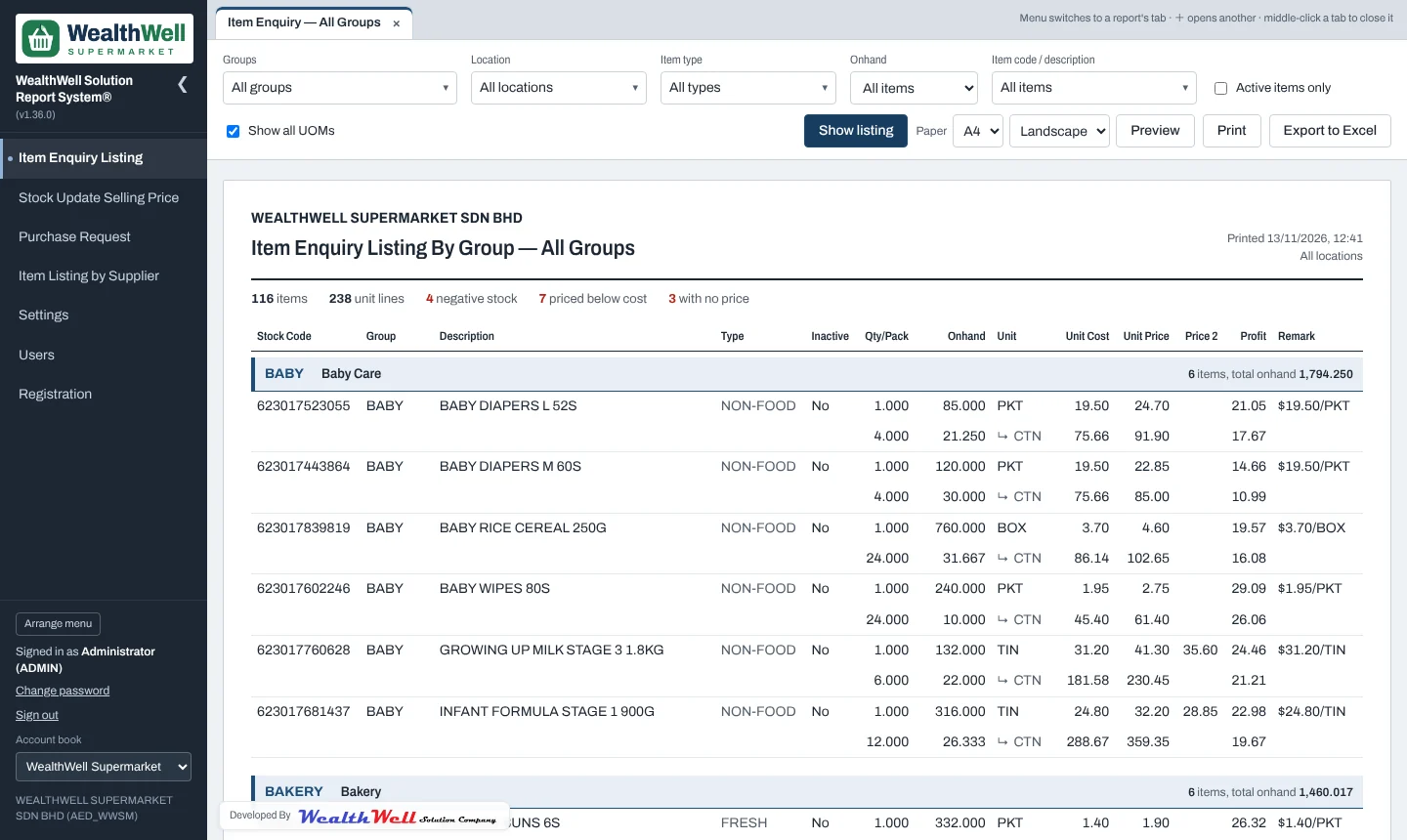
| Show all UOMs | Off: one row per item in its base unit. On: every unit of measure, grouped under the item. |
Columns
| Onhand | Stock balance from all stock movements, converted to the row's unit. |
|---|---|
| Unit Cost / Unit Price / Price 2 | From the item's unit of measure in AutoCount. Price 2 is often used as the promotion price. |
| Profit | (Price − Cost) ÷ Price × 100. Shown in red when the price is below cost. |
| Remark | Cost per unit, for example $19.50/PKT. |
Several units of measure
Tick Show all UOMs to see packs and cartons. The base unit comes first and the other units are indented underneath with ↳, so an item never gets split across the page.
Tip
With every filter on "All" a large account book can return tens of thousands of rows. Choose a group or a location for a faster, shorter report.