
Reports
Purchase Invoice drill-down
Open the full AutoCount purchase invoice behind any invoice number on a report.
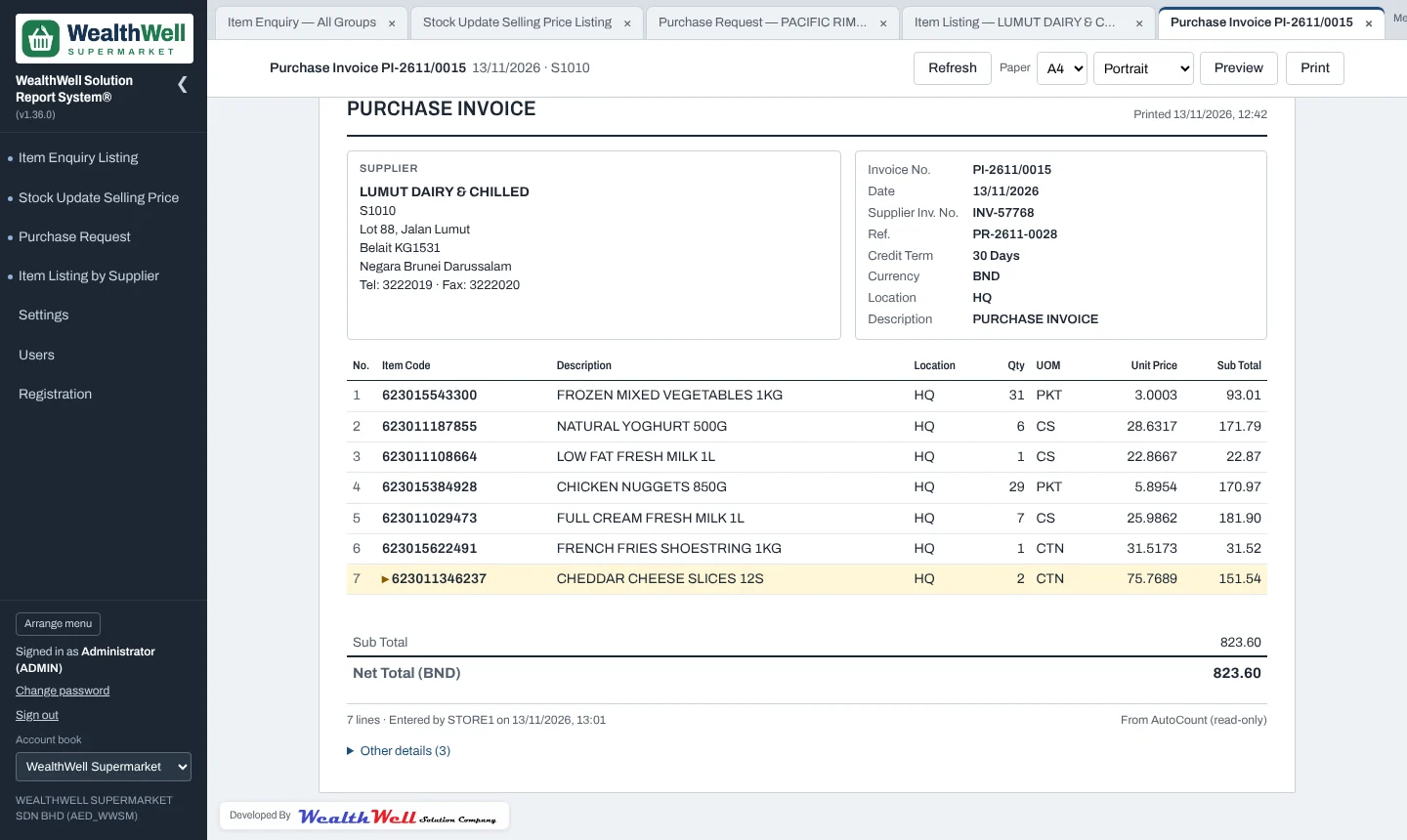
Invoice numbers and last purchase dates on the reports are links (dotted underline). Clicking one opens the invoice in its own tab:
- the supplier with address and phone;
- invoice number, date, the supplier's own invoice number, reference, credit term, currency and location;
- every item line with quantity, unit, unit price, discount and sub total, and the item you clicked from highlighted;
- remarks, Sub Total and Net Total, and who entered and last changed the invoice;
- Other details, which lists any remaining fields on the invoice.
Clicking the same invoice again switches to its tab instead of opening another. The invoice can be printed like any report. In one-tab mode the invoice replaces the report, and ← Back to report returns to it.
Note
Anyone who may open the Stock Update Selling Price, Purchase Request or Item Listing by Supplier report can open invoices from it.