
Reports
Purchase Request by Supplier
Build a numbered purchase request from one supplier's items, print it for approval, and send it to an AutoCount Purchase Order.
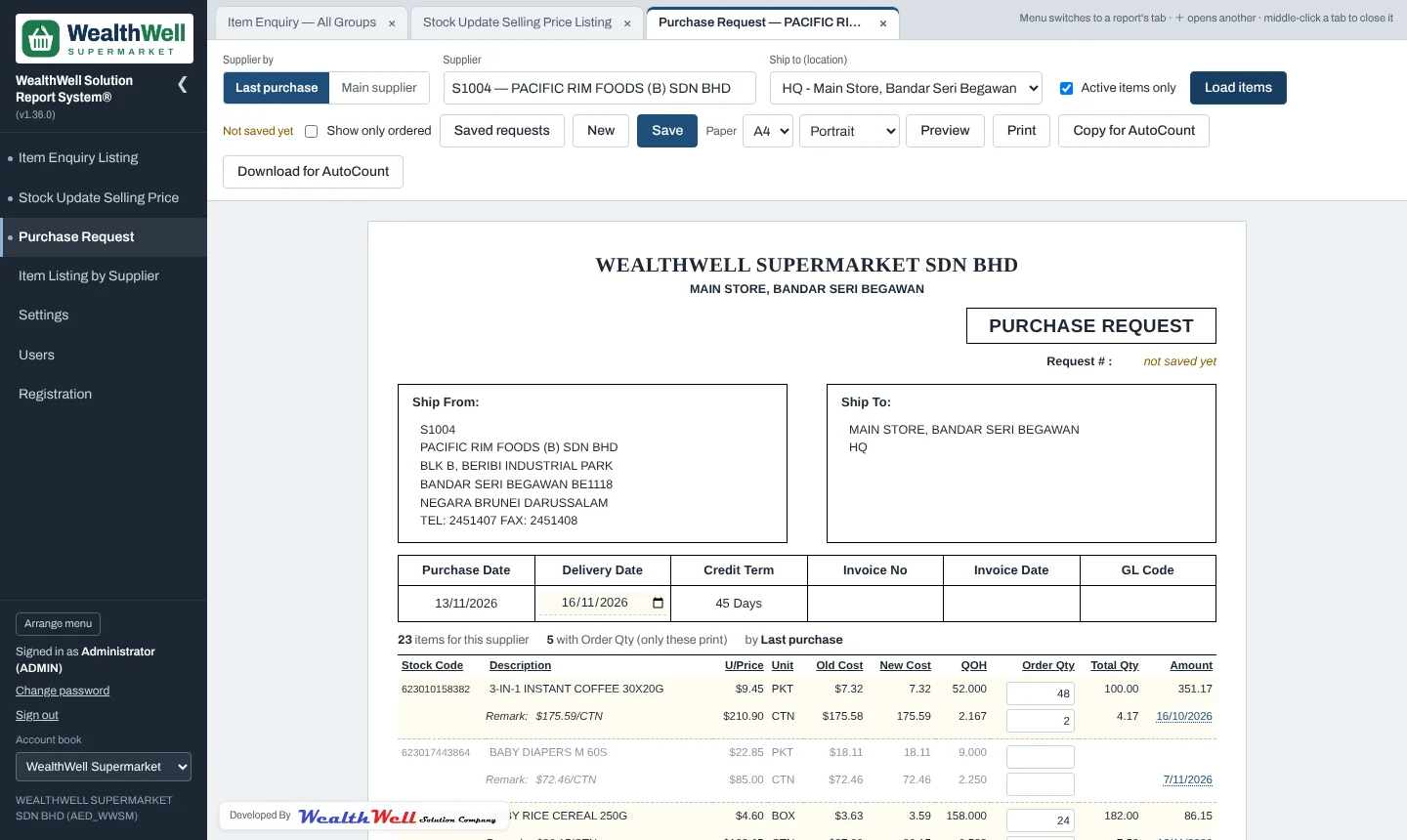
Starting a request
- Choose how to find the supplier's items: Last purchase (the supplier on each item's latest Purchase Invoice) or Main supplier (set in AutoCount Item Maintenance).
- Type the supplier code or name and pick the supplier.
- Choose Ship to: the location the goods go to. Stock on hand (QOH) is shown for that location.
- Click Load items.
Each item takes two lines: the base unit (for example PKT) and its biggest pack (for example CTN), each with its selling price, old and new cost, stock on hand and last purchase date. Click the date to open that purchase invoice.
Entering quantities
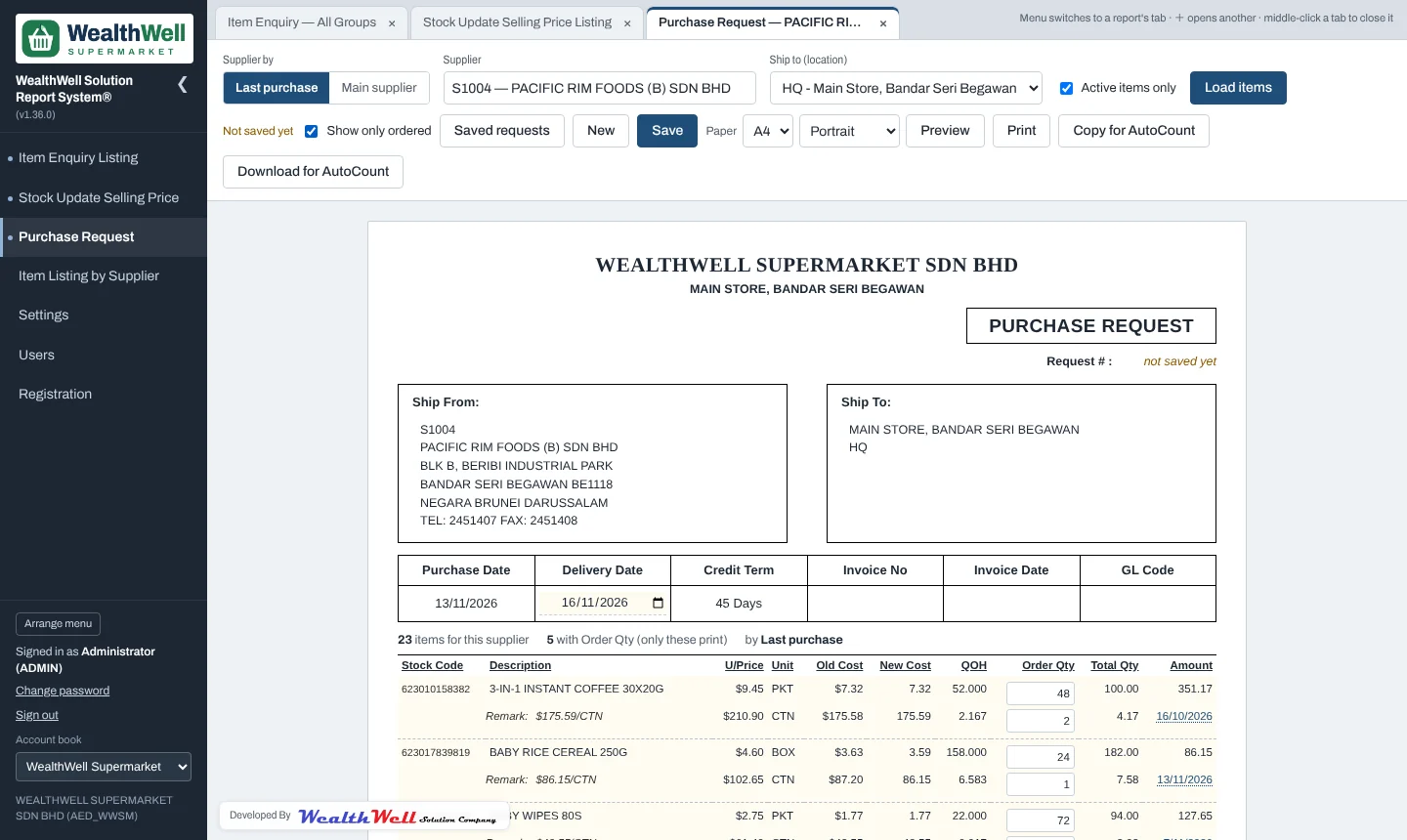
Type the Order Qty in either unit; the other is worked out for you. Total Qty is stock on hand plus the order, and Amount is the order at the latest cost. Tick Show only ordered to see just the lines you are ordering. Only those lines print.
Saving and reopening
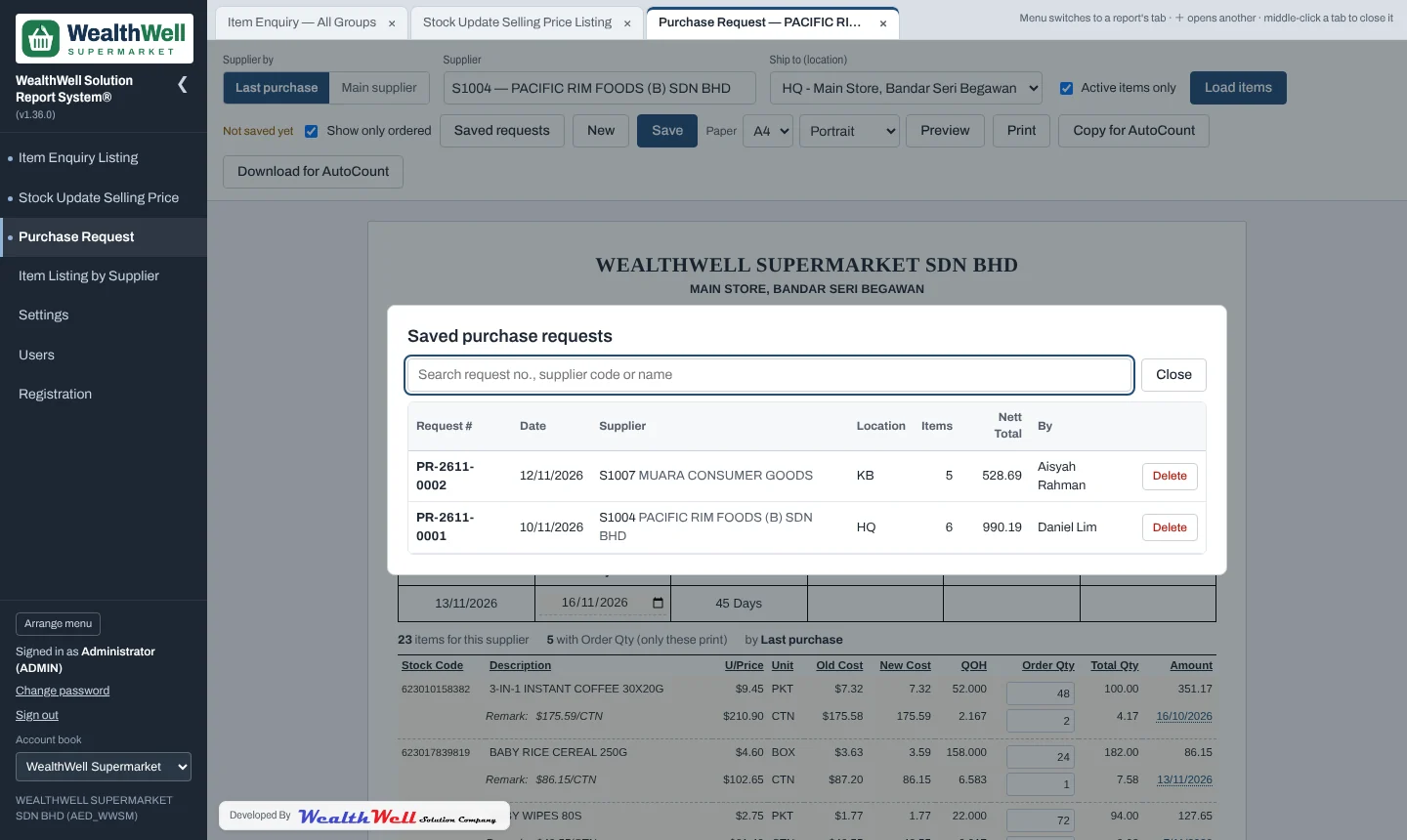
Save gives the request a number such as PR-2611-0003 (year, month, running number). Saved requests lists them
with supplier, location, totals and who made them. Open one to carry on, or delete it if your role allows. A saved request keeps the prices
and quantities as they were; Add the supplier's other items brings in items that are not on it yet.
Printing
The request prints on A4 portrait by default, with Ship From, Ship To, delivery date, credit term, blank boxes for the supplier's invoice number, invoice date and GL code, and sign-off boxes: Received By, Approved By Person-In-Charge and Approved By Manager.
Sending it to AutoCount
Once a request is approved you can turn it into an AutoCount Purchase Order without retyping it:
- Click Copy for AutoCount (or Download for AutoCount for a tab-delimited .txt file).
- In AutoCount, open a new Purchase Order and use its paste / import of the Purchase Order template.
- Check the lines and save the Purchase Order in AutoCount.
The copy carries the supplier and address, location, date, credit term, the request number as the reference, the remark, and one line per ordered item (in cartons when the quantity is whole cartons) at the latest cost. A discount typed on the request is not carried across.