
Administration
Registration
Registering the system to your PC with a key from WealthWell Solution Company.
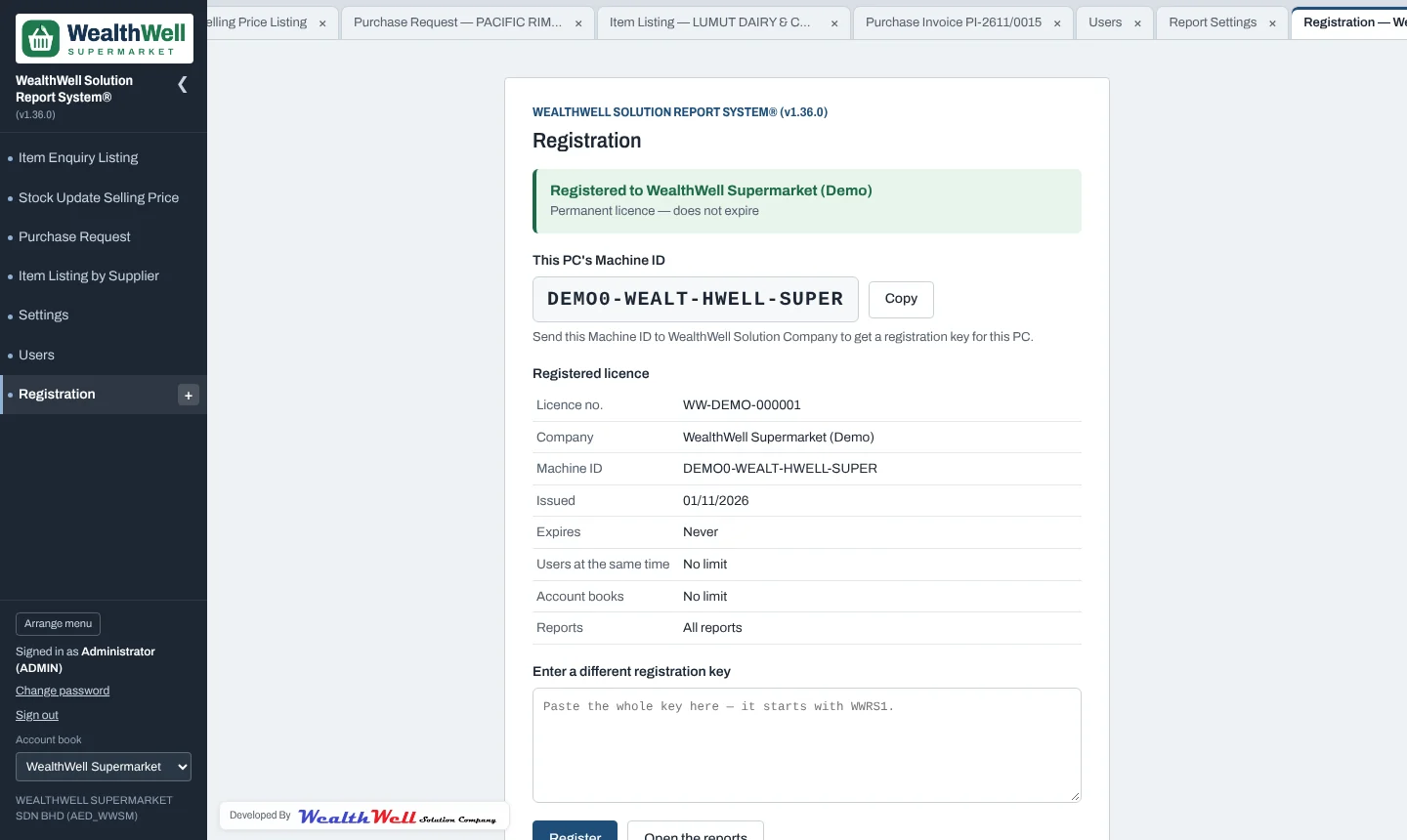
Trial
A new installation runs as a 30-day trial with every report. After the trial only the Registration page opens until a key is entered. The days left show on the sign-in page and in the tab bar.
Registering
- Open Registration from the menu (administrators) and click Copy next to the Machine ID.
- Send the Machine ID to WealthWell Solution Company.
- Paste the registration key you receive (it starts with
WWRS1.) and click Register.
What a key contains
A key is made for one PC (its Machine ID) and can carry an expiry date and limits: the number of people signed in at the same time, the number of account books, and which reports are included. Without a limit, there is none. The welcome page shows the details.
Note
The Machine ID changes if Windows is reinstalled or the system moves to another PC. Ask for a new key in that case.